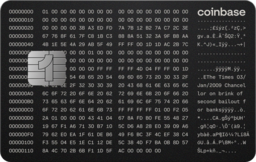
This article refers to the Coinbase One credit card. For the debit card, see Coinbase Card-Debit card overview.
You can also activate your card by scanning the QR code on the packaging the card arrives in, or by navigating to coinbase.com/activatecard.
Activate your card
From your Coinbase mobile app, select Credit Card .
On the card shipping status, select Activate card.
Follow the prompts, then select Activate my card..
Contact our card specialists at 1 (855) 508-5066 if you have trouble activating your card.
View your card information
From the Coinbase mobile app, select Credit Card.
Select Card Management.
Choose Show numbers.
Select Show card info.
Note: Your physical card has a different CVV and expiration date than your virtual card. This helps keep your card secure.
Track your card delivery
You’ll be notified when your card ships and provided a tracking link. Your physical card will arrive around 5-7 days after your application is approved. In the meantime, you can start using your card on Apple Pay, Google Pay, or in the Coinbase mobile app.
If you haven’t received your Coinbase Card 14 days after applying, request a replacement card.
Related articles: